iOS 27.3 Beta Brings Vertical Tabs, Adaptive Dark Mode and Siri Tab Controls to Safari
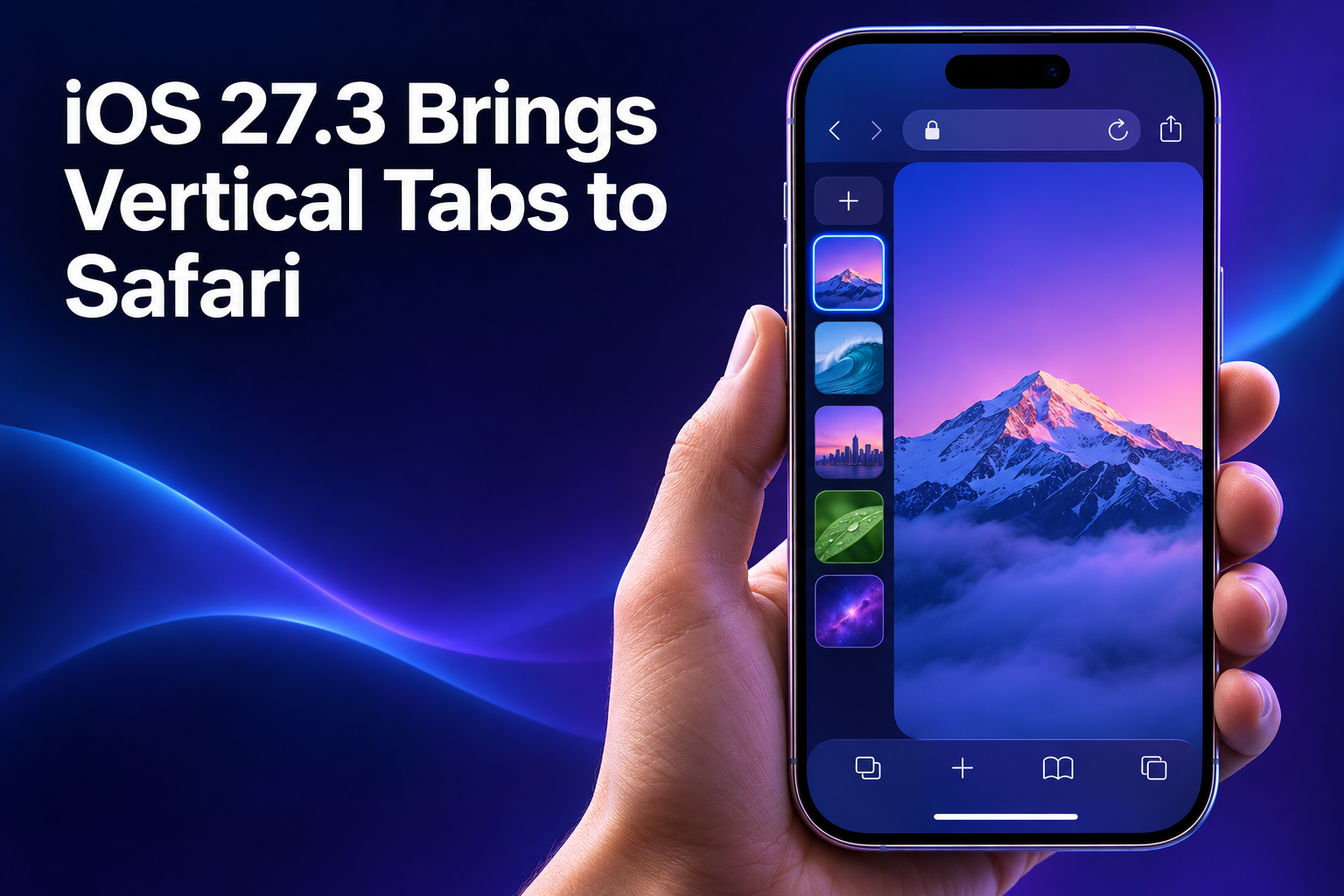
Apple has put out the first betas of iOS 27.3, iPadOS 27.3 and macOS 27.3 to developers, and Safari is the star of the release. It gains a Vertical Tabs layout, an Adaptive Dark Mode for bright websites, and new Siri actions for tabs, windows and web history. If you spend most of your day in a browser, these are changes you'll notice quickly.
The betas started rolling out on November 3, 2026, so for now this is developer territory. Still, it's a good preview of what Safari will look like on your iPhone, iPad and Mac once the update reaches everyone.
What's new in Safari in the iOS 27.3 beta
There are three headline additions. First, Vertical Tabs: a layout you can use instead of the usual horizontal tab bar, available on iPhone, iPad and Mac. Second, Adaptive Dark Mode, which tries to give a dark look to websites that don't offer one themselves. Third, Siri can now act on your tabs, windows and web history directly.
The vertical layout puts your tabs on the left side of the display. By default they show as icons to save space, and you can widen the tab bar if you'd rather see website titles. According to 9to5Mac, the idea is to make the most of both vertical and horizontal room. MacRumors adds that Vertical Tabs work with both Topics and Tab Groups, and that pinning tabs by dragging and quickly swapping between Tab Groups still work. Topics, for what it's worth, are what you get when automatic Apple Intelligence tab sorting is turned on in iOS 27.
How to turn on Vertical Tabs in Safari
On iPhone, 9to5Mac says you enable the layout in the iOS 27.3 beta by opening Settings, then Apps, then Safari, and switching on the new Vertical Tabs option. On Mac and iPad, the View menu in Safari also works, which is handy if you want to flip between layouts without leaving the browser. MacRumors likewise notes the option can be found in Safari settings or the View menu.
If the layout looks familiar, there's a reason. 9to5Mac points out that Arc from The Browser Company popularized vertical tabs. Arc stopped active development last year, and The Browser Company announced last month that it will discontinue it altogether in December. So Safari's version arrives just as a well-known alternative winds down.
Moving your data to a new phone
New software often goes hand in hand with new hardware, and if you're planning to switch devices, or move between Android and iPhone, it helps to sort out your data first. Apple's own tools are one route, and third-party apps are another. Smart Transfer is one such app for Android and iPhone, and its Clone tool moves pictures, videos, contacts, messages, apps and more between devices over Wi-Fi, phones and tablets included. So if you've been searching for Data transfer or Sms Transfer options, it covers messages as part of that move.
The same app also handles sending things around. Share Nearby sends pictures, videos, music and files to people on the same Wi-Fi, while Share Remotely sends files across networks, including to other countries. If you need file sharing or secure file sharing beyond what a browser gives you, or simple File Transfer between devices, that's the part to look at. It also includes Backup and Restore for contacts and bookmarks, which is a sensible safety net before you install any beta. This is a general tip about switching phones, not something tied to Safari in iOS 27.3, and a smart transfer between old and new devices is easiest when you do it before you start fiddling with settings.
How Adaptive Dark Mode works on bright websites
Adaptive Dark Mode is aimed at sites that don't have a dark design option of their own. If you use Dark Mode and land on a page with a bright background, MacRumors says Safari offers a "Try" option. Tap it and Safari builds a dark version of the page: a darker background, adjusted text contrast, inverted logos and graphics, recolored vector artwork, lifted raised surfaces and rebalanced layered shadows. Not every tweak is applied to every site, because Safari adapts each page according to what it needs for readability.
It won't kick in on sites that already have a native dark mode or an existing dark design. Developers who don't want Safari touching their pages can add a tag that makes Safari ignore Adaptive Dark Mode and show the site as intended. As for how it activates, MacRumors says you can turn it on for all sites or go site by site after using it, so you stay in control either way.
What Siri can now do with tabs, windows and web history
Siri's new abilities are about taming a cluttered browser. According to MacRumors, it can sort, move and close tabs and windows, and arrange them into Tab Groups. It can also manage web history, for example clearing history for a particular site over a set period, such as the last 10 days. 9to5Mac describes the same direct actions on tabs, including moving, sorting, organizing and closing.
One catch: MacRumors says you need an Apple Intelligence-capable device for the Siri features. If your iPhone, iPad or Mac doesn't support Apple Intelligence, you can still look forward to the Safari layout and dark mode changes, but the Siri tab controls are a different story.
iOS 27.3 release timing and beta availability
The Safari changes are in the latest developer betas, available from November 3, 2026. Apple released iOS 27.2, the first major iOS 27 update, on October 26, so this one follows quickly. MacRumors says iOS 27.3, iPadOS 27.3 and macOS Golden Gate 27.3 are due to launch in December after several rounds of beta testing.
9to5Mac words it more cautiously, saying the update will likely reach everyone sometime in December, which is the author's expectation rather than a confirmed date. Treat December as the likely window, and remember that betas can be rough. If you're not a developer, waiting for the final release is the safer move.
Safari's next update is shaping up to be a practical one, with a roomier tab layout, a dark mode for bright sites, and Siri help for keeping tabs and history tidy. Developers can try it now, and everyone else should see it when the final release arrives.


Comments
Post a Comment